
PaperDuet
A lightweight AI paper translator built for researchers!
Free · macOS 13.3 or later on Apple silicon
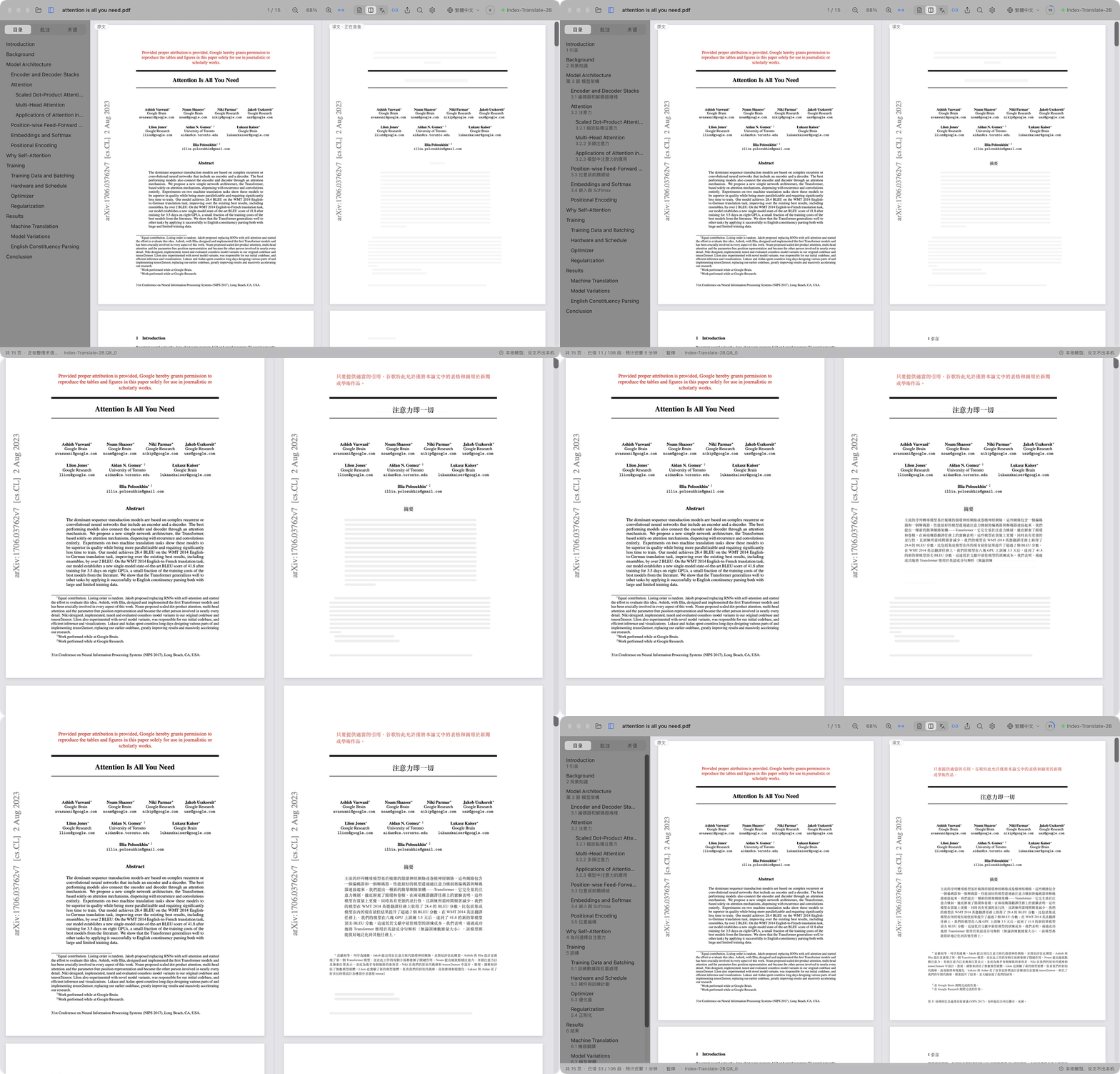
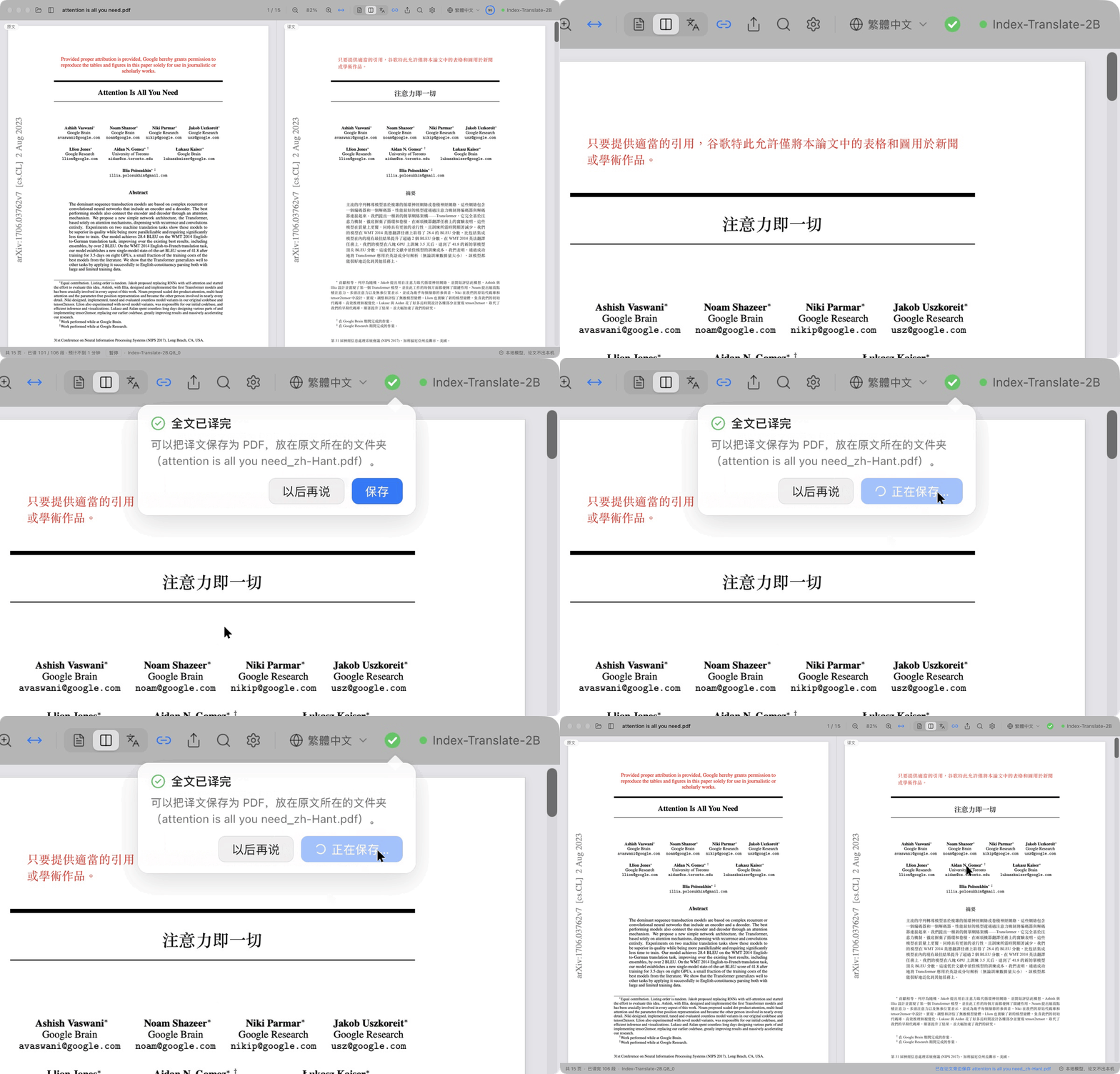
Translating Attention Is All You Need (15 pages) into Traditional Chinese, from scratch.
PaperDuet is a lightweight AI mirror translator for papers. It lays out the original and the translation as mirror images, with formulas, figures and tables corrected and aligned page by page. No sign-up, no API key, no fees, and it runs entirely on your Mac!
Mirror layout
Every page, made easy
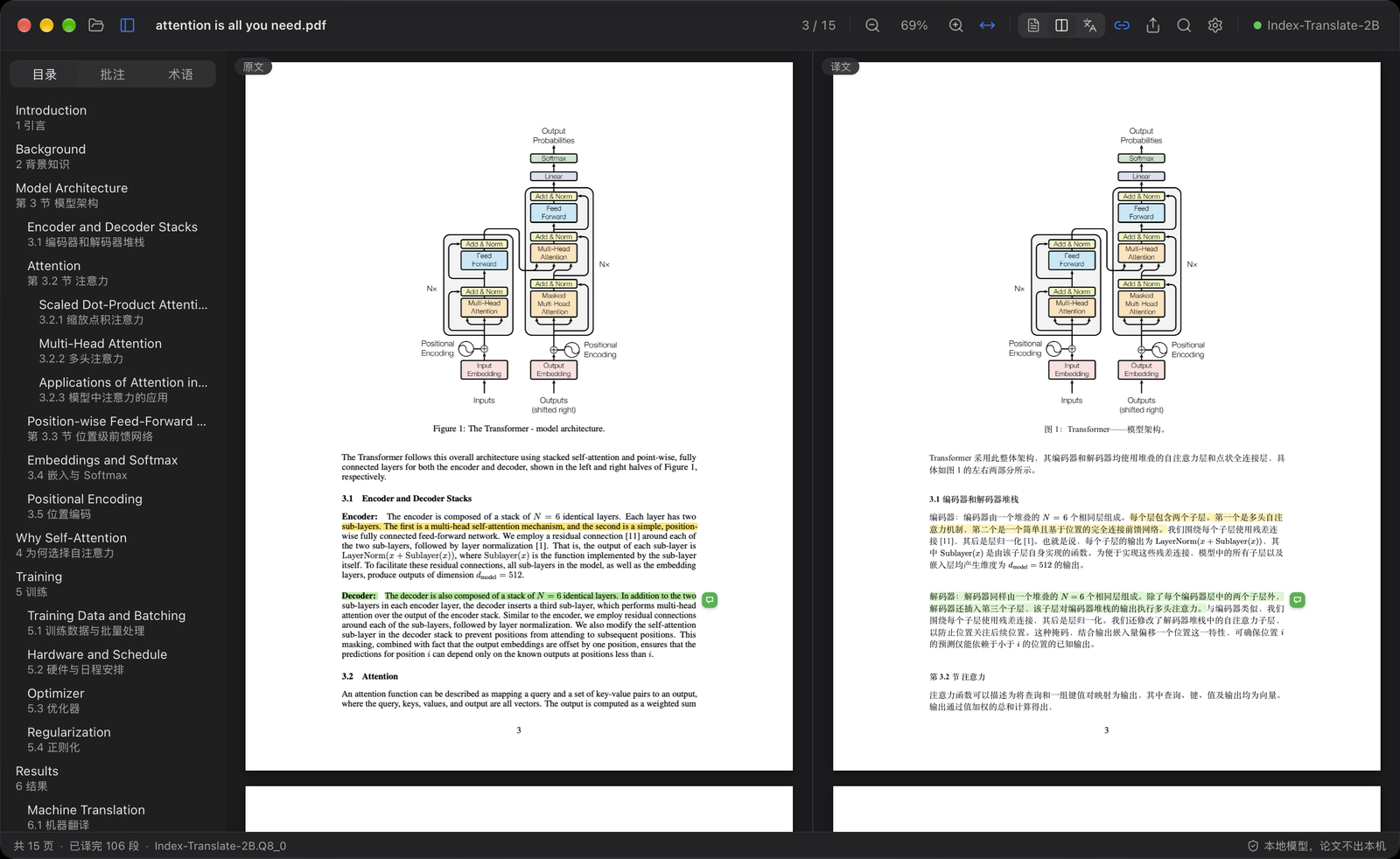
The original paper is on the left and its translation on the right, and both sides scroll and zoom together. Columns, headings, captions, footnotes and references are recognised automatically, and paragraphs that run across columns or pages are joined up. The two sides line up exactly, so comparing them is easy.
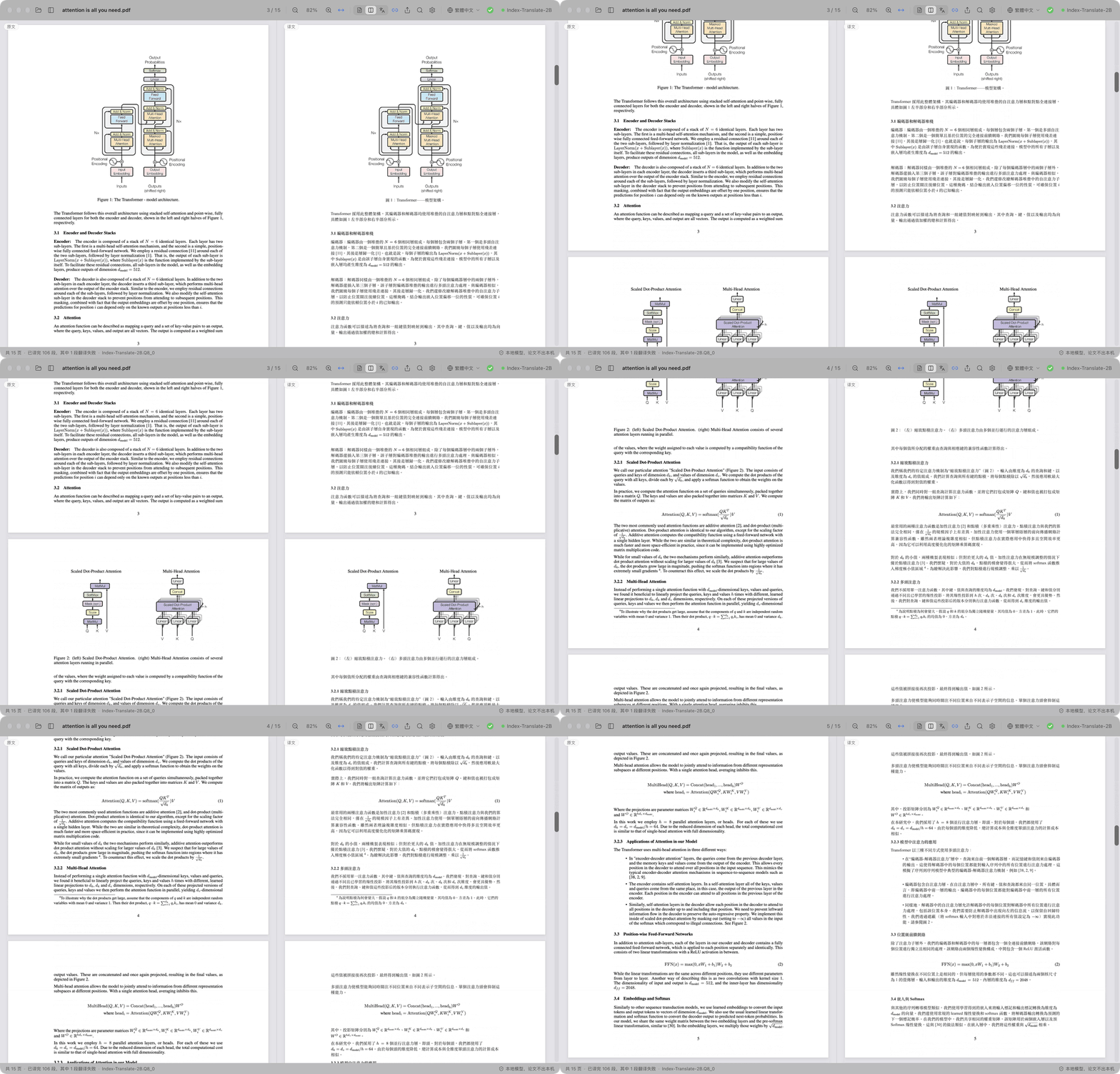
Priority on double-click
Fast! Fast! Fast!
Headings are translated first, so you can see how the paper is structured; the title, abstract and introduction come next, so you get the key points quickly. Want to read a later section first? Just double-click its paragraph in the original and it starts right away!
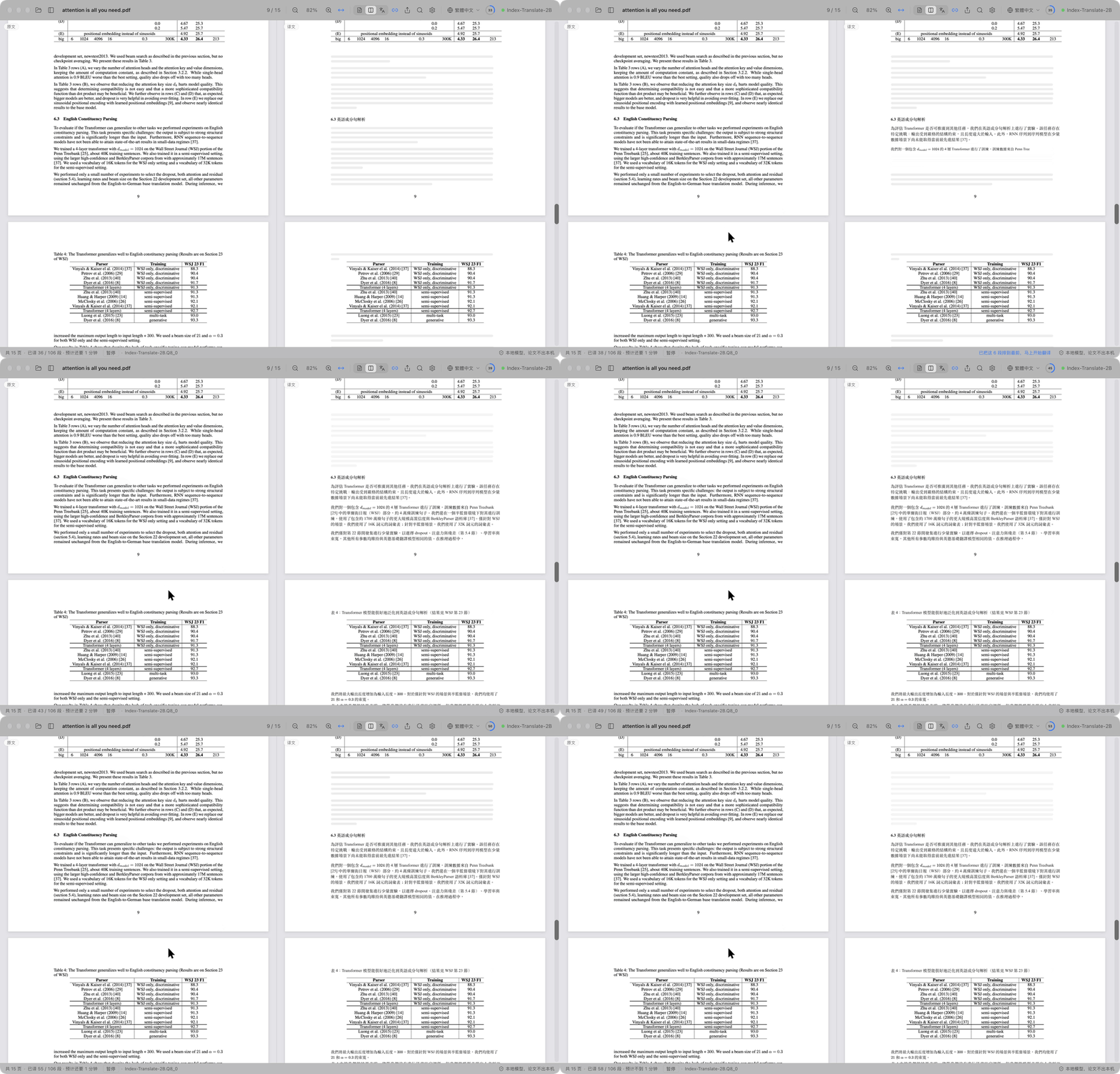
Notes on both sides
Notes? Just make them on the translation!
Highlight, underline or add a note on either side, and the matching sentence on the other side is marked too.
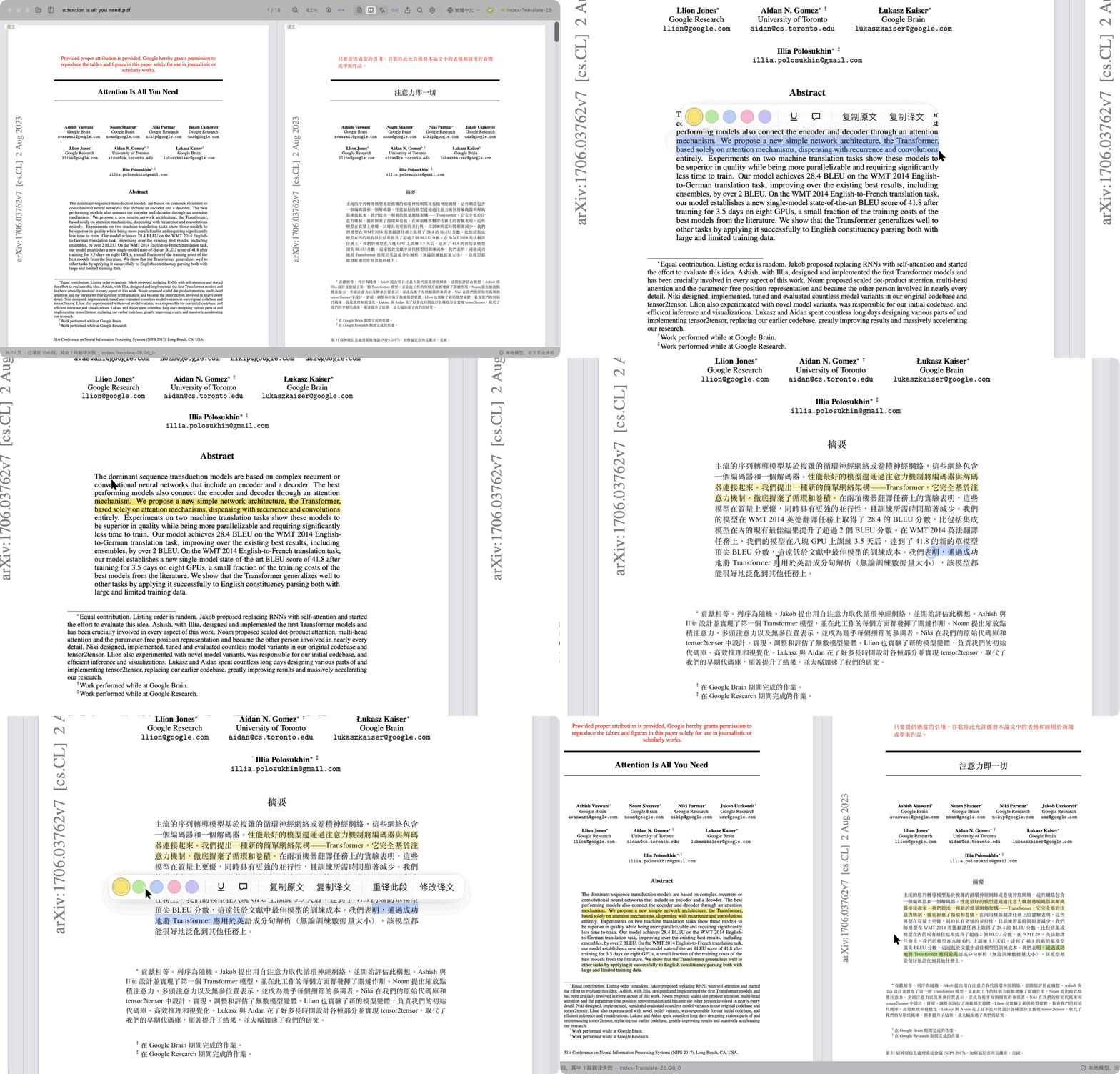
Done, then saved
Progress? Speed? No problem!
The toolbar shows the translation progress. When the whole paper is done, the ring turns into a green check and a bubble pops up: one click saves the translation as a PDF next to the original. You can also choose from five models to suit your Mac and your needs!
And there's more
Eight languages to translate into.
Switch between 简体中文, 繁體中文, 日本語, 한국어, Français, Deutsch, Español and Русский in one click from the toolbar.
A translated PDF in one click.
Once a paper is fully translated, one click saves the translation next to it in the original layout.
Quality checks built in.
Formulas, numbers and sentence order are checked in every reply, with automatic retries, and a glossary for each paper keeps terms consistent.
You decide what gets translated.
Right-click any block to translate it or keep the original.
Read your way.
Search the original and the translation at once, browse a bilingual outline, point at a paragraph to find its twin, and show the original, the translation or both. PaperDuet remembers where you left off.
Export anywhere.
The original PDF with your marks, the translated PDF and your notes as Markdown, all readable in other apps too.
One-click updates.
Updating is easy: one click installs the new version.
Made to look good.
A clean, beautiful glass design, with light, dark and night reading modes.
Five models, all on your Mac
Pick a model the first time you open PaperDuet, and switch anytime in Settings › Model › Change Model. Every one of them is built for translation and runs fully offline once it is downloaded.
- Index-Translate-2Brecommended
The best all-rounder, tuned for PaperDuet's checks and glossary
Speed: the fastest and lightest
Translations that stay close to the source
The most fluent Chinese, on Macs with 16 GB of memory or more
- TranslateGemma-4Bexperimental
Trying Google's translation model
With the recommended model, a 15-page paper takes about 2 minutes on an M5 Pro, or about 1 minute with "Paragraphs at Once" set to 2 or 3 in Settings › Model. Already have one of these models from LM Studio, llama.cpp or Hugging Face? PaperDuet finds it and uses it where it is, with no second download.
Private by design
- Your papers, translations and notes stay on your Mac.
- No account needed, and no usage data is collected.
- PaperDuet goes online only to download a model and to check for updates, and you can turn the update check off.
Get started
You need a Mac with Apple silicon (M1 or later) and macOS 13.3 or later.
- 1
Download the latest
.dmgfrom Releases. - 2
Drag PaperDuet into Applications and open it from there.
- 3
First launch only: PaperDuet isn't notarized by Apple yet, so macOS asks you to confirm. Open System Settings › Privacy & Security and click Open Anyway. (Or run
xattr -dr com.apple.quarantine /Applications/PaperDuet.appin Terminal.) - 4
Pick a model. PaperDuet downloads it, or finds the copy you already have, and starts translating right away.
That's all. The translation engine is built into the app, and updates take one click.
FAQ
Which model should I choose?
Start with Index-Translate-2B. For more speed, pick Hy-MT2-1.8B. For the most fluent Chinese on a Mac with 16 GB of memory or more, pick Hy-MT2-7B.
Is it free?
Yes, for personal study and research, and for universities, schools, research institutes and other non-profits. Using PaperDuet at or for a company needs a commercial license: write to [email protected].
No sign-in, no fees, fully local!
Five open-source AI translation models to choose from.
Download for MacmacOS 13.3 or later on Apple silicon